Filter Locations by Group
Groups let you reuse the same location catalogue across different pages, brands, regions, or storefront experiences while showing only the relevant subset in each widget.
Create and use a group
-
Open Locations, select the Groups tab, and choose Create group.
-
Enter a name such as
Dealers. Store Locator generates a unique key from the name.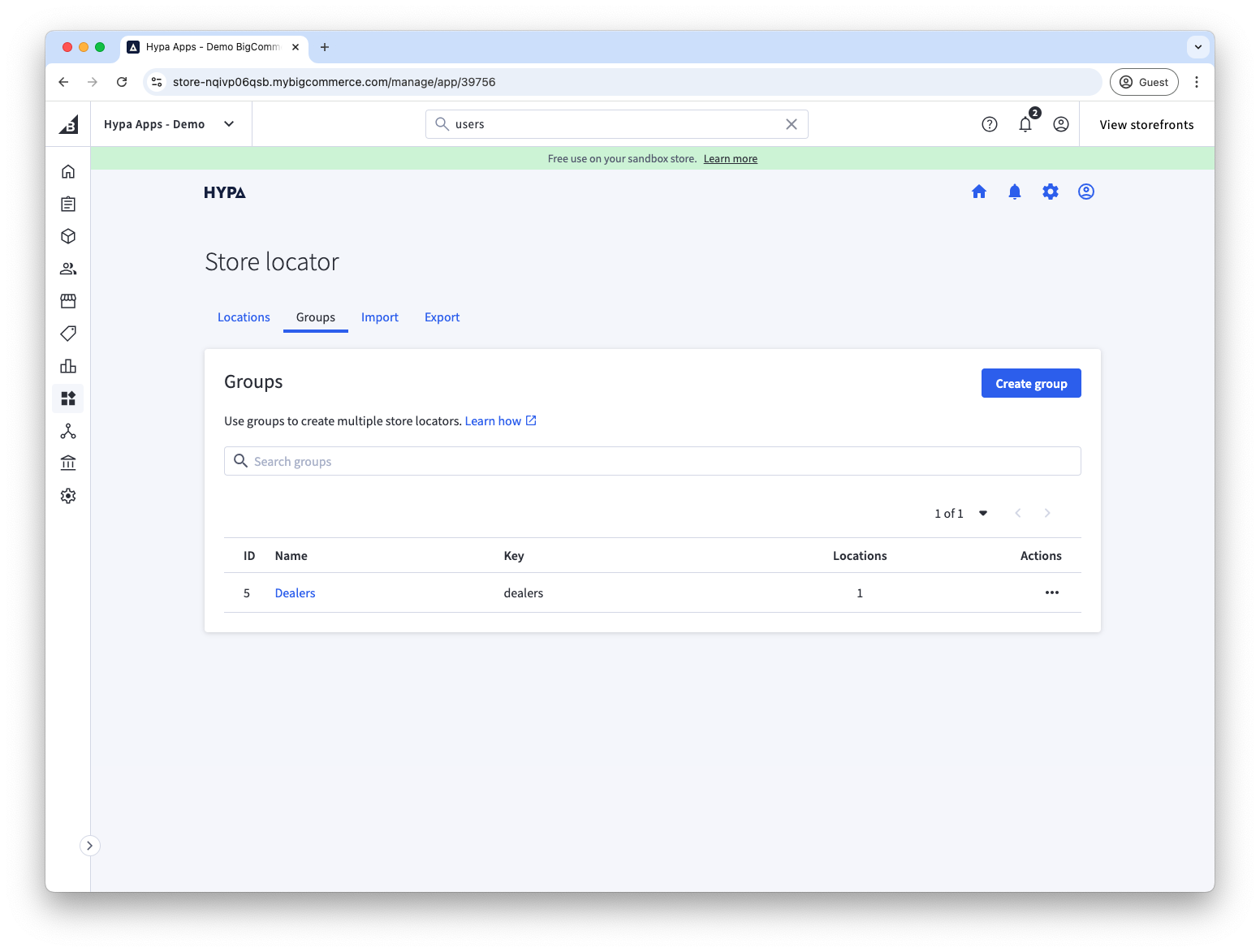
-
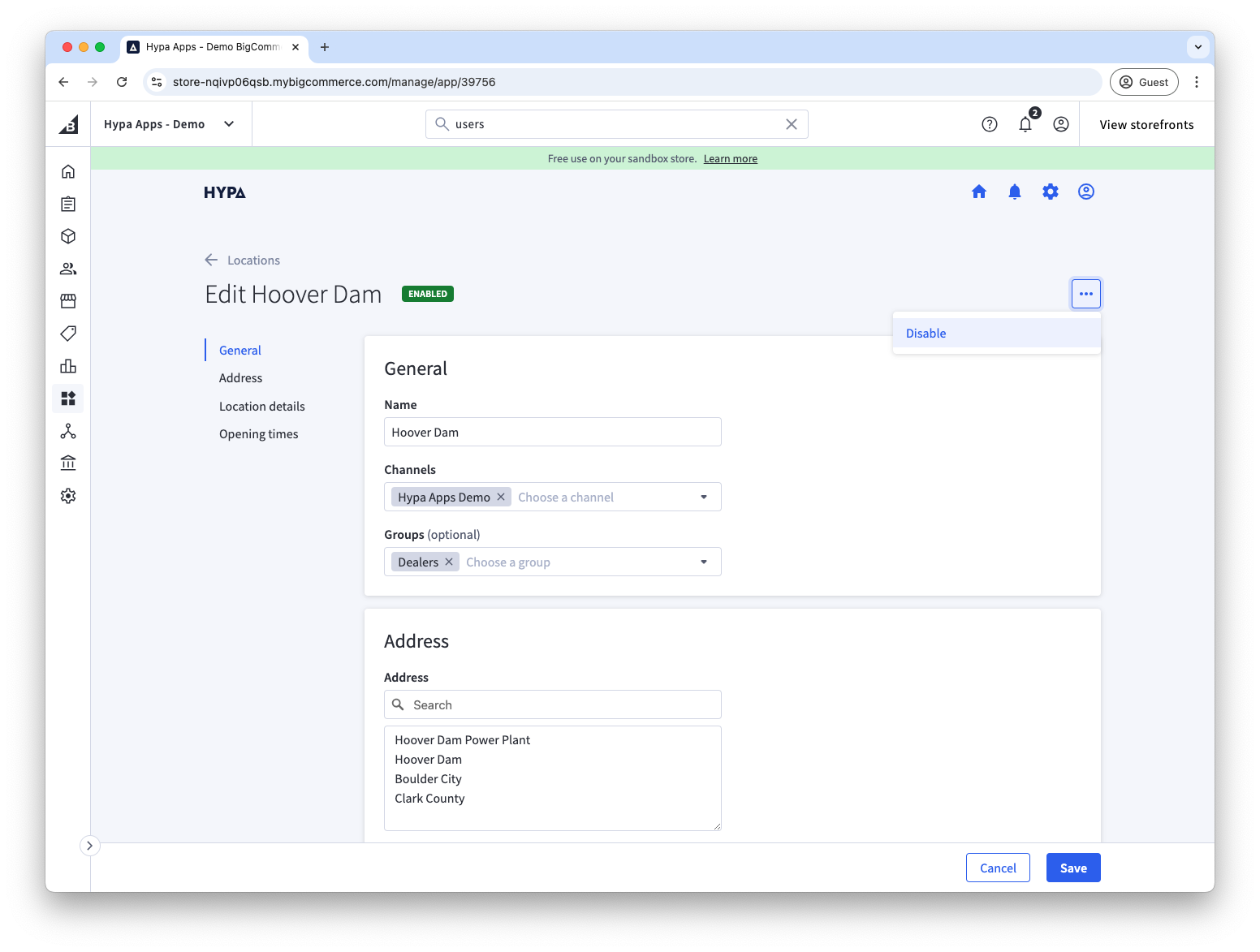
Open each location that belongs in the group, select the group under General > Groups, and save.
-
Open the target page in Page Builder and select its Store Locator widget.
-
Under Location filter, choose the group and publish the page.
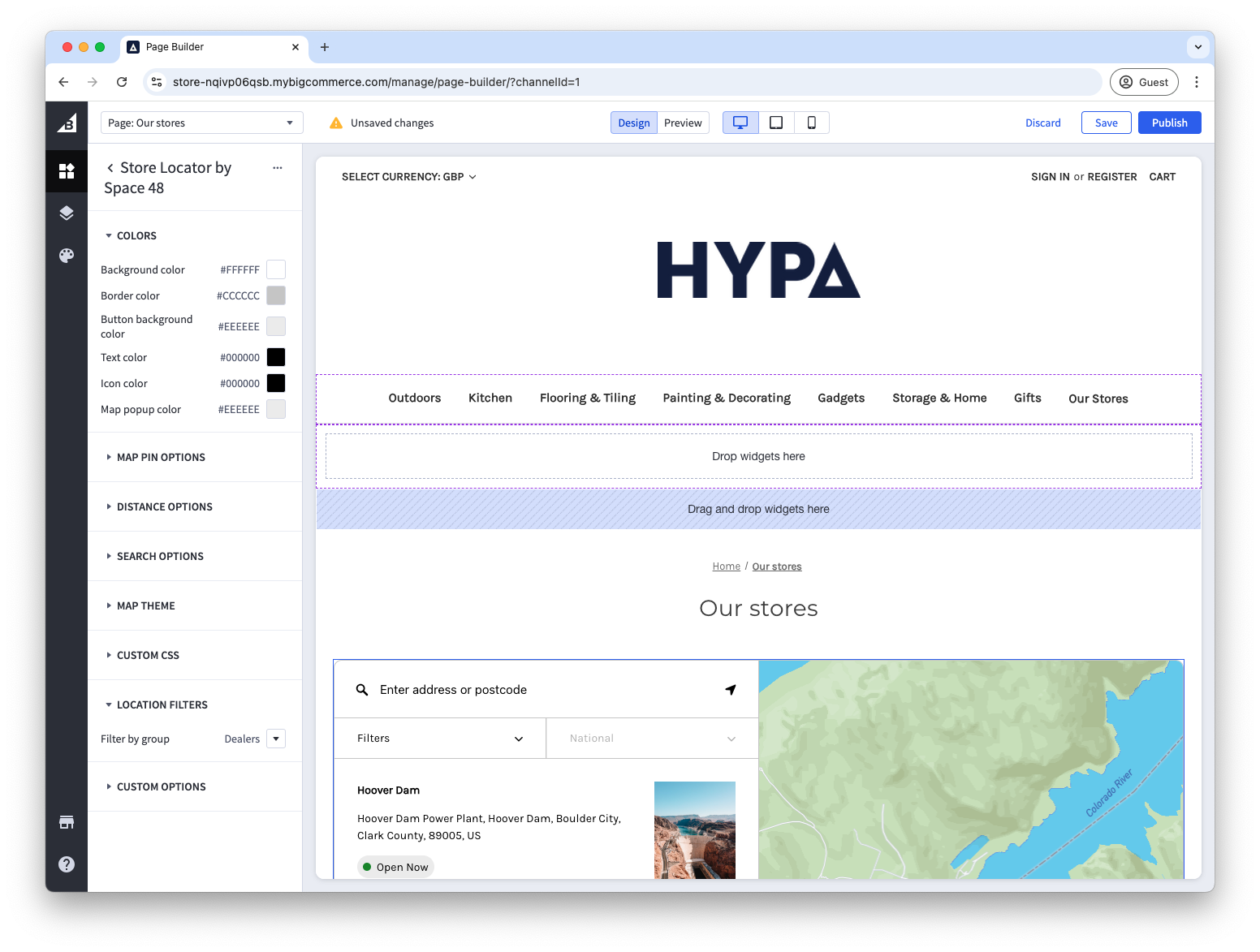
Only locations assigned to that group are displayed and searched by the widget. A location can belong to more than one group.