Publishing to Channel Metafields
This is a plan-gated feature. If the setting is disabled for your store, review the available plans in Store Locator.
Publish locations to channel metafields when a custom Stencil theme needs location data without making a browser request to the Store Locator API.
Store Locator publishes up to 1,000 enabled locations for each channel. It stores 50 locations in each metafield and creates up to 20 metafields.
After publishing is enabled, Store Locator republishes the channel data when locations are created, updated, deleted, or imported. Publishing runs asynchronously, so a storefront update may not be immediate.
Enable publishing
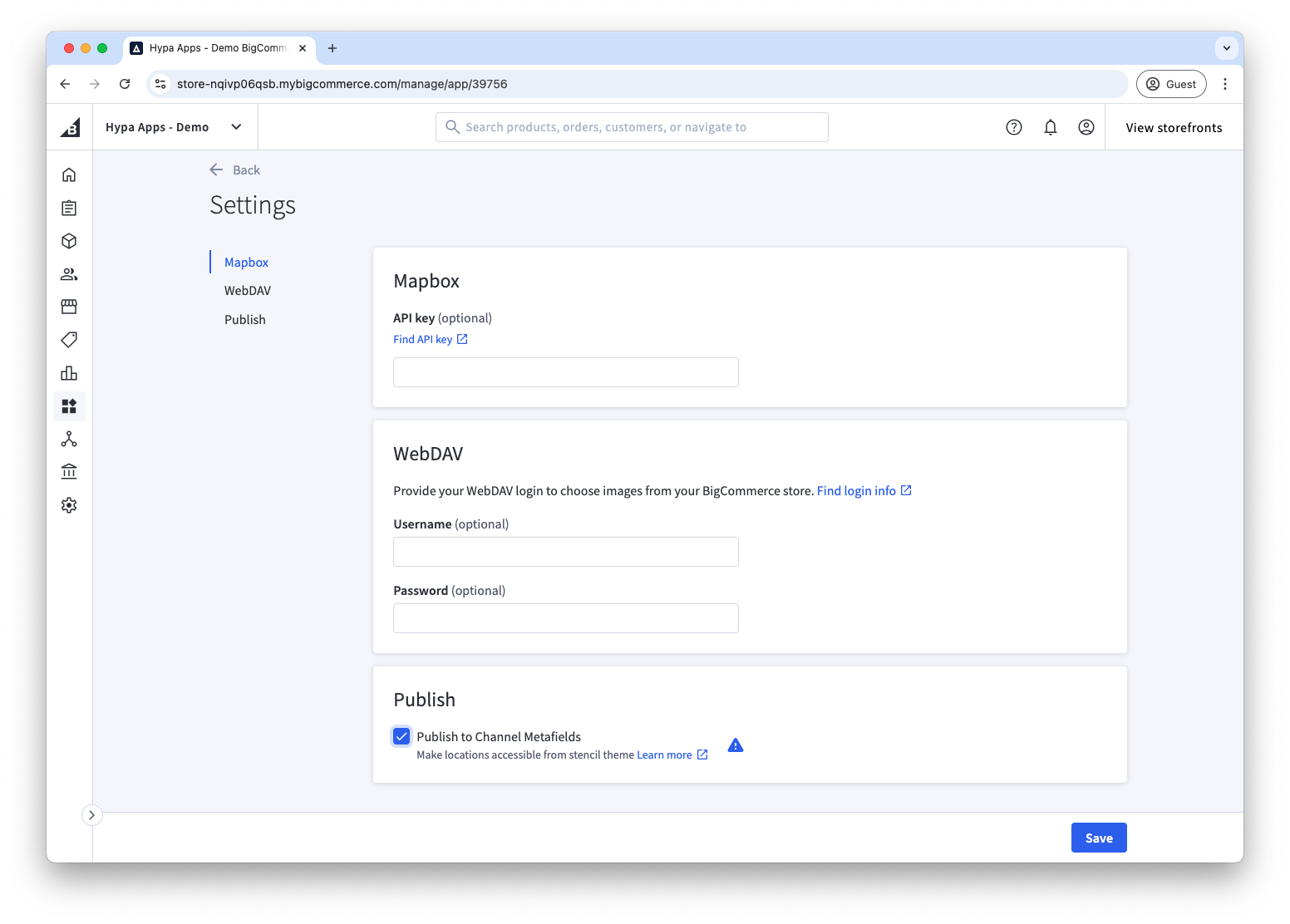
- Open Settings in Store Locator.
- Under Publish, select Publish to Channel Metafields.
- Save the settings.
Metafield names
The first metafield is:
- Namespace:
store_locator_by_space_48 - Key:
locations_page_1
Further pages use locations_page_2 through locations_page_20 as required.
These names contain the product's previous company identifier because the current implementation still uses them as a compatibility contract. Do not rename the namespace in theme code.
Query the metafields in Stencil
Add a custom GraphQL query to the front matter of the relevant Stencil page template:
---
gql: "query channelMetafields {
    channel {
        metafields(namespace:\"store_locator_by_space_48\") {
            edges {
                node {
                    key
                    value
                }
            }
        }
   }
}
"
---
Each metafield value is JSON with an items array. Parse each page and loop through its locations:
Treat location notes as untrusted rich text when you render them in custom theme code, and escape other user-entered fields by default.