Get a Mapbox API key
Store Locator needs a Mapbox public access token to display maps and provide address search.
Before you begin
Mapbox is a separate service with usage-based pricing. Review Mapbox costs and the free tier before publishing Store Locator.
You need access to both the Mapbox account and Store Locator's Settings page.
Connect Mapbox
-
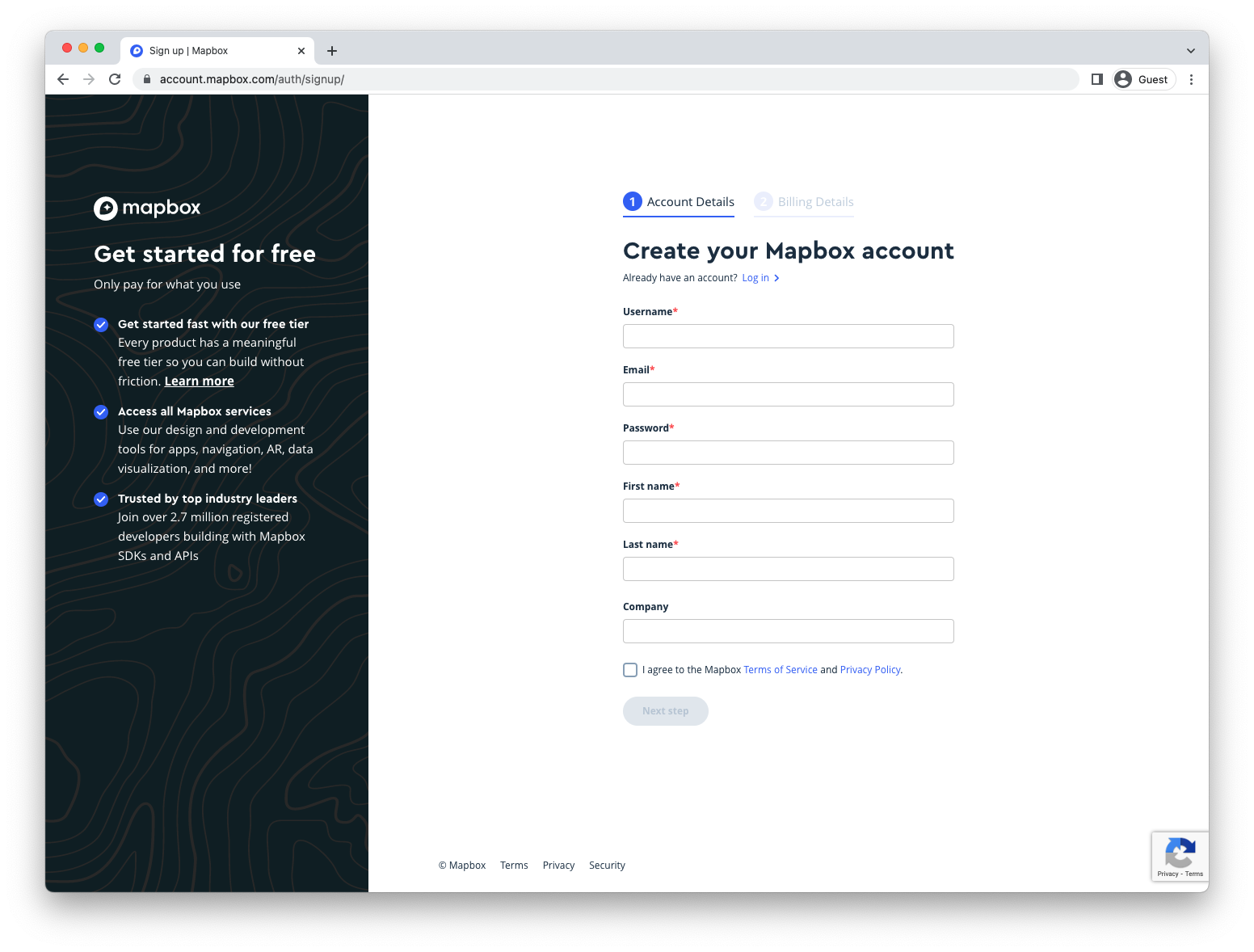
Create a Mapbox account or sign in.
-
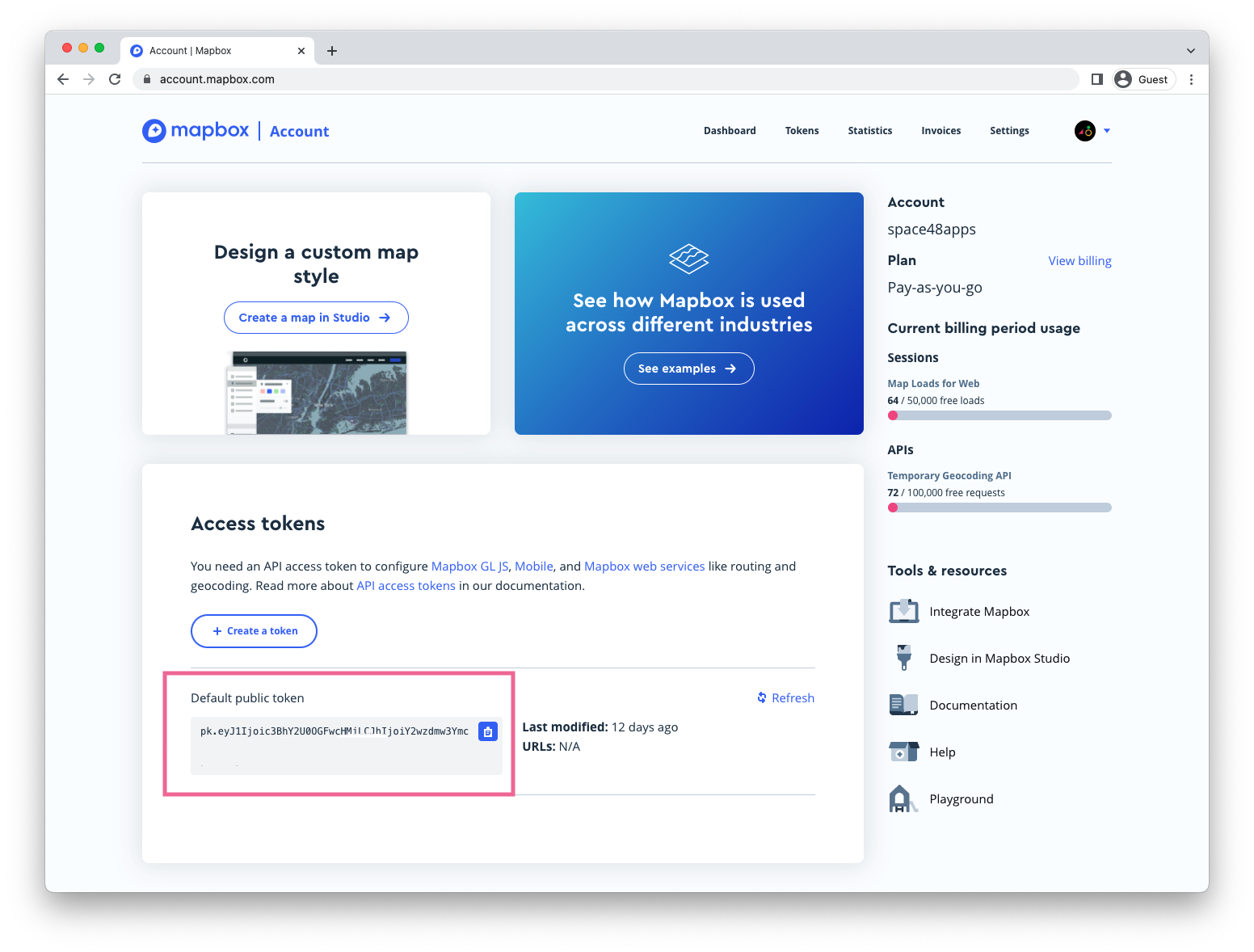
Open the Mapbox access tokens page.
-
Copy the default public token, or create a public token with the scopes needed for maps and address search.
-
In Store Locator, open Settings.
-
Paste the token into Mapbox > API key and save.
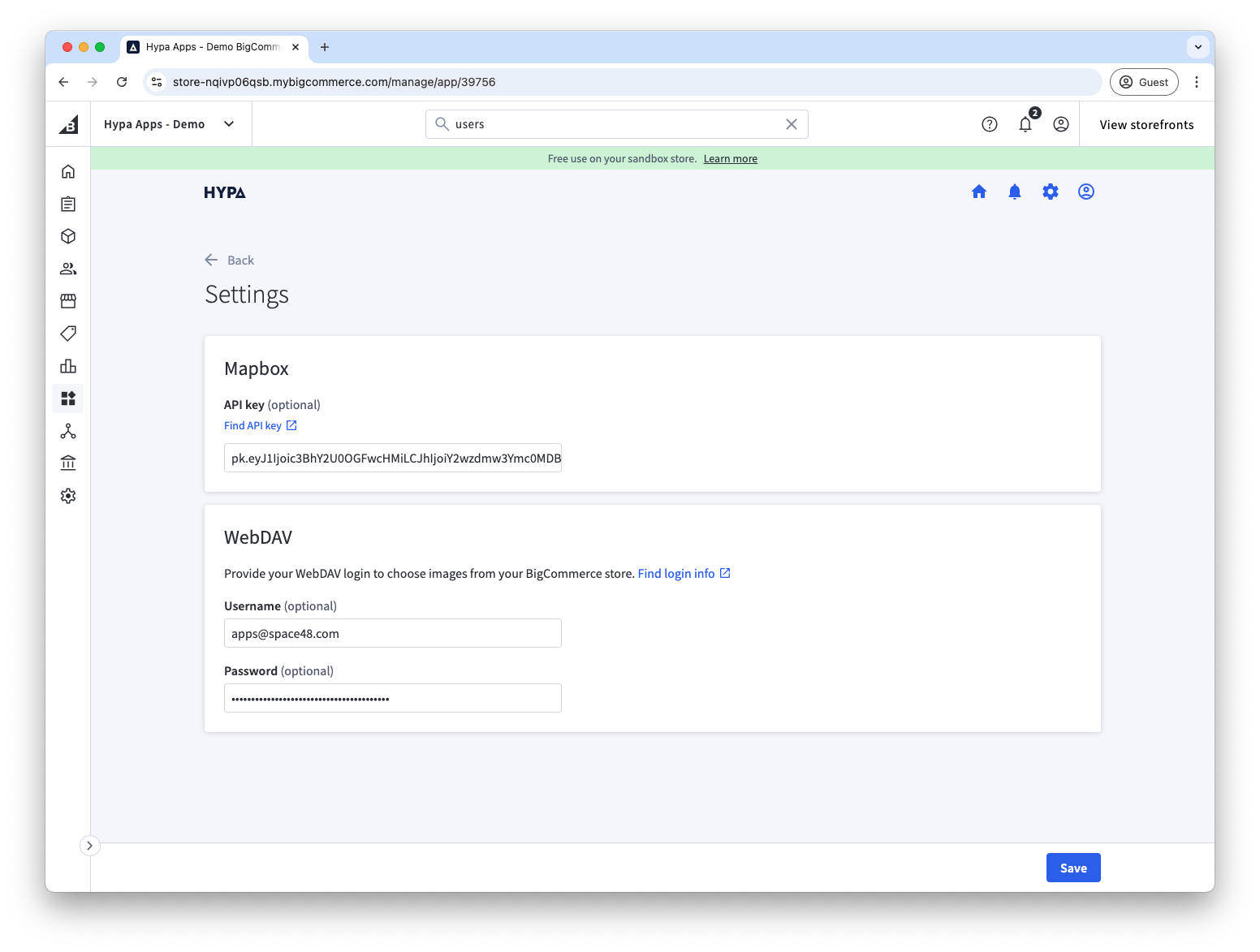
Address search should now return suggestions, and the Store Locator map should render on the storefront.
Store Locator runs maps and search in the browser, so use a Mapbox public token. Do not paste a secret token into the app.